Other reusable components!
Quick Links#
1 - Alert Component!#
I use react-confirm-alert npm module, if you dont know how this package work,
you can see This link
Content:#
import { useEffect, useState } from "react";import { confirmAlert } from "react-confirm-alert"; // I use react-confirm-alert npm packageimport "react-confirm-alert/src/react-confirm-alert.css"; // css for the package aboveimport { useHistory } from "react-router-dom";import { useRecoilState } from "recoil";import "./alert.css"; // Custom cssimport "baseLayout/shared/alertComponent/checkboxAlert/checkbox-alert.css"; // Css for the checkboximport clickedAlertAtom from "./clickedAlertAtom"; // State with boolean value
import Logo from "logo.svg";import selectedDarkThemeAtom from "chatComponents/stateManager/atoms/selectedDarkThemeAtom";import activateDeleteConvAtom from "baseLayout/shared/alertComponent/checkboxAlert/activateDeleteConvAtom"; // If you have conversation this value is true.
const Alert = ({  title,  subTitle,  erasedBubbles,  notErasedBubbles,  confirmMessage,  buttonYes,  buttonNo,}) => {  let history = useHistory();  const [clickedAlert, setClickedAlert] = useRecoilState(clickedAlertAtom);  const [selectedDarkTheme] = useRecoilState(selectedDarkThemeAtom);  const [isMessages] = useState(JSON.parse(localStorage.getItem("messages")));  function stepConfirm() {    if (clickedAlert) {      setClickedAlert(false);      if (activateDeleteConv) {        localStorage.removeItem("messages");      }      history.replace("/");    }  }
  const [activateDeleteConv, setActivateDeleteConv] = useRecoilState(    activateDeleteConvAtom  );
  const handleActivateDeleteConv = () => {    if (activateDeleteConv) {      setActivateDeleteConv(false);    }    if (!activateDeleteConv) {      setActivateDeleteConv(true);    }  };  useEffect(() => {    if (activateDeleteConv) {      sessionStorage.setItem("noDeleteConv", true);    }    if (!activateDeleteConv) {      sessionStorage.setItem("noDeleteConv", false);    }    console.log("activate", activateDeleteConv);  }, [activateDeleteConv, handleActivateDeleteConv]);
  useEffect(() => {    const confirmDialog = () => {      confirmAlert({        customUI: ({ onClose }) => {          return (            <div              className={                selectedDarkTheme                  ? "react-confirm-alert-body dark-background white"                  : "react-confirm-alert-body light-background black"              }            >              <div className="alert-content">                <img                  className="react-confirm-alert-img-logo"                  src={Logo}                  alt="logo"                />                <h1 className="titleAlert">                  {title} <br /> {subTitle && !clickedAlert ? subTitle : null}                  {isMessages && isMessages.length > 0 && activateDeleteConv                    ? subTitle                      ? `${subTitle}`                      : null                    : ""}                </h1>              </div>              {isMessages && isMessages.length > 0 && clickedAlert && (                <div className="checkbox-alert">                  <input                    className="input-checkbox"                    type="checkbox"                    name="switch"                    id="switch"                  />                  <label                    onClick={handleActivateDeleteConv}                    className="label-checkbox"                    htmlFor="switch"                  ></label>                  <p style={{ fontSize: 12, width: 240, marginLeft: 55 }}>                    {activateDeleteConv                      ? `${erasedBubbles}`                      : `${notErasedBubbles}`}                  </p>                </div>              )}              <p>{confirmMessage}</p>              <div className="react-confirm-alert-button-group">                {buttonYes ? (                  <button                    onClick={() => {                      onClose();                      stepConfirm();                    }}                  >                    {buttonYes}                  </button>                ) : null}                {buttonNo ? (                  <button                    onClick={() => {                      setClickedAlert(false);                      onClose();                    }}                  >                    {buttonNo}                  </button>                ) : null}              </div>            </div>          );        },      });    };    confirmDialog();  }, [activateDeleteConv]);
  return <div className="container"></div>;};export default Alert;
Alert Simple Usercase#
...import Alert from "baseLayout/shared/alertComponent/customAlert/Alert";...

const UseCaseExample = () => {
  return (    <div className="usecase-container">      ...      {/*Example with just one title & one button*/}      <Alert        title={`Your title text here`}        buttonNo={`Button text here`}      />      ...     {/*Example with title, confirme message & two buttons*/}      <Alert        title={`Your title text here`}        confirmMessage={`Your Confirm message text here`}        buttonYes={`Text for green button`}        buttonNo={`Text for red button`}      />
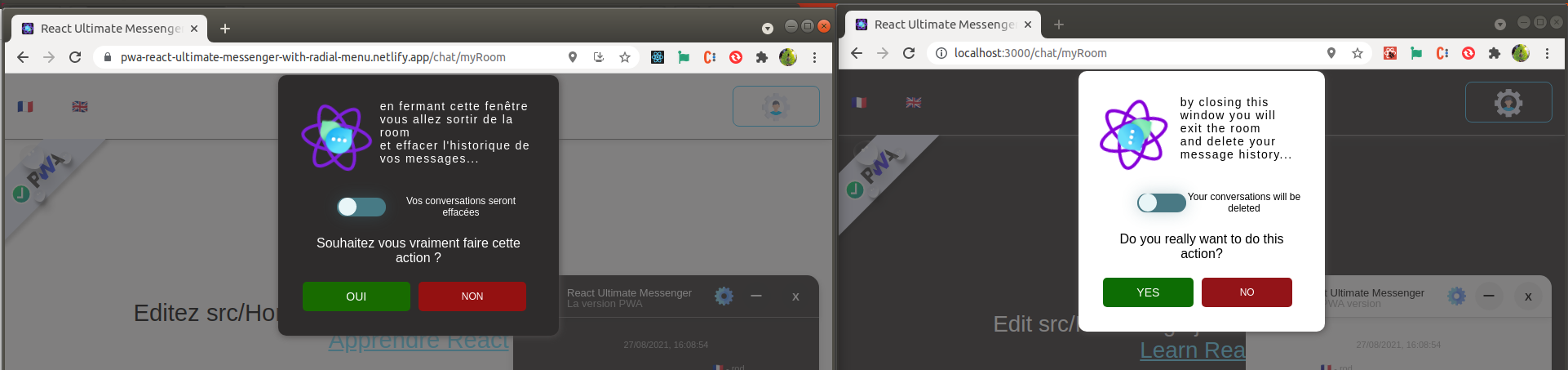
      ...      {/*Example with all arguments - this is the code you see in the picture example below.*/}       <Alert          title={t("alertCloseChatTitle")}          subTitle={`${t("alertMessIfMessagesList")}`}          erasedBubbles={`${t("erasedBubbles")}`}          notErasedBubbles={`${t("notErasedBubbles")}`}          confirmMessage={`${t("confirmActionCloseChat")}`}          buttonYes={`${t("yesButton")}`}          buttonNo={`${t("noButton")}`}        />      ...    </div>  );};
export default UseCaseExample;
Result!#
2 - Offline Message Component!#
Content:#
import { useTranslation } from "react-i18next";import "./offlineMessage.css";
// For this reusable component you have many choices of type, you have :// -- danger - primary - success - warning - info --// This is pre formated style for all types of pop up messageconst OfflineMessage = ({ type, content }) => {  const { t } = useTranslation();  return (    <div className="offlineMessCOntainer">      <div className={` offline ${type} slide-in-bck-center`} role="alert">        {type === "danger" || type === "warning" ? (          <svg            id="exclamation-triangle-fill"            fill="currentColor"            viewBox="0 0 16 16"          >            <path d="M8.982 1.566a1.13 1.13 0 0 0-1.96 0L.165 13.233c-.457.778.091 1.767.98 1.767h13.713c.889 0 1.438-.99.98-1.767L8.982 1.566zM8 5c.535 0 .954.462.9.995l-.35 3.507a.552.552 0 0 1-1.1 0L7.1 5.995A.905.905 0 0 1 8 5zm.002 6a1 1 0 1 1 0 2 1 1 0 0 1 0-2z"></path>          </svg>        ) : type === "success" ? (          <svg id="check-circle-fill" fill="currentColor" viewBox="0 0 16 16">            <path d="M16 8A8 8 0 1 1 0 8a8 8 0 0 1 16 0zm-3.97-3.03a.75.75 0 0 0-1.08.022L7.477 9.417 5.384 7.323a.75.75 0 0 0-1.06 1.06L6.97 11.03a.75.75 0 0 0 1.079-.02l3.992-4.99a.75.75 0 0 0-.01-1.05z"></path>          </svg>        ) : type === "info" || type === "primary" ? (          <svg            version="1.1"            xmlns="http://www.w3.org/2000/svg"            width="35"            height="35"            viewBox="0 0 16 16"          >            <path              fill="currentColor"              d="M8 0c-4.4 0-8 3.6-8 8s3.6 8 8 8 8-3.6 8-8-3.6-8-8-8zM9 13h-2v-2h2v2zM9 10h-2v-7h2v7z"            ></path>          </svg>        ) : null}        {t(`${content}`)}      </div>    </div>  );};
export default OfflineMessage;
Offline message Simple Usercase#
...import isOnlineAtom from "chatComponents/stateManager/atoms/isOnlineAtom";import OfflineMessage from "baseLayout/shared/offlineMessage/OfflineMessage";...

const USeCaseExample = () => {  const [isOnline] = useRecoilState(isOnlineAtom);  ...  ...  return (    <div className="usecase-container">    ...      <div style={{ width: "100%", position: "absolute", zIndex: 888, top: 0 }}>        {isOnline === "offline" ? (          <OfflineMessage type="danger" content={`You content message here`} />        ) : null}      </div>      ...    </div>  );};

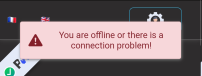
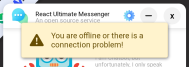
export default UseCaseExample;Result!#
danger style & warning style