Add your own service to the chat!
For this example i'll add one little calculator widget to chat!
Add this service to chat app message!#
If you want to see this widget in detail, you can download the zip file of this fully functional reusable widget Here.
This is a little component tree structure
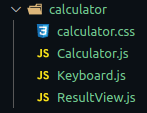
Tree component example:#
Put the component folder in chatComponents/components folder
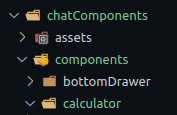
in MessageChatComponent:#
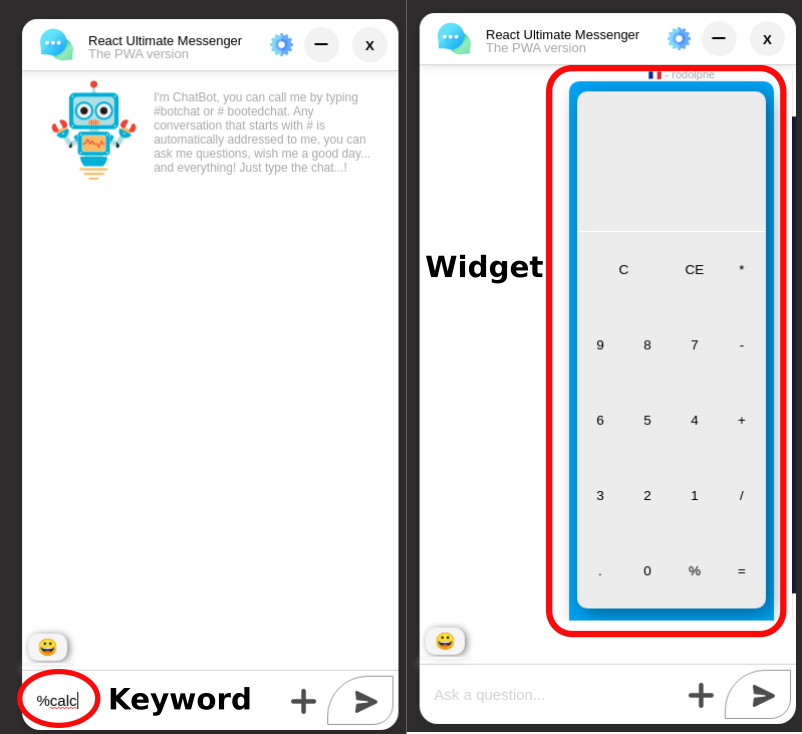
In this example, i want call the service when the user put & send "%calc" in input message.
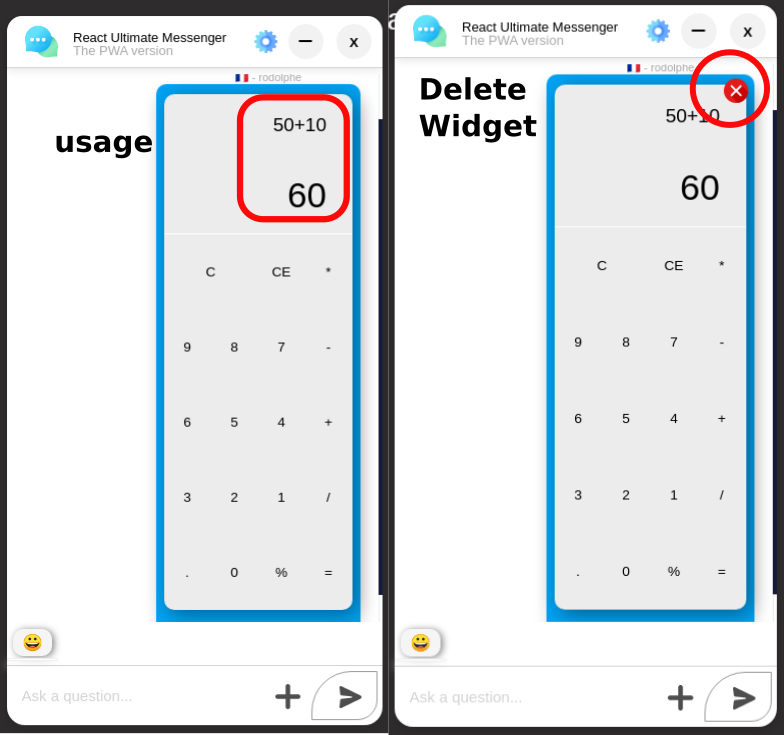
For this example, when a user calls the widget, it appears on all users' windows, but the result of the operation is visible only to the user who uses this widget. This is the same logic as for the weather widget!
...import Calculator from "chatComponents/components/calculator/Calculator"; ... return ( // This code need to be enter in messages displaying section code <div> <ol className="messages-list"> {messages.map((message, i) => { return ( <span key={i} className="messages-section"> ... <ul className="message-date">{message.timeStamp}</ul> <p style={{ fontSize: 11, marginBottom: -20, marginTop: 5, }} className={`message-item ${ message.ownedByCurrentUser ? "my-message" : "received-message" }`} > ... // Check if message.body include the keyword for the service {message.body.includes("%calc") ? <Calculator /> : null} ... </p> </ul> </span> ...In the ui component:#
Usage & detele widget!#
Delete one service to the chat!#
I was chosen weather widget because it's not the more easy (it's more representative case), instead of calculator widget for this case.
erase weather service#
You need to delete some folder and files...
1- You need to delete the complet weatherComponent folder
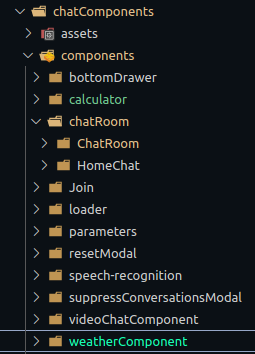
2- After that, delete fetchWeather in service folder:
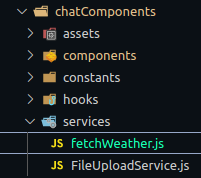
3- And then, delete this two variables in .env.local file
REACT_APP_WEATHER_API_URL="https://api.openweathermap.org/data/2.5/weather"REACT_APP_WEATHER_API_KEY="XXXXXXXXXXXXXXXXXXXXXXXXXXXXXXX"4- In ChatRoom component, delete all of this imports and props:
...import Weather from "chatComponents/components/weatherComponent/WeatherComponent";import cloud from "chatComponents/assets/cloudy.svg";... <MessagesComponents Weather={Weather} // delete this props cloud={cloud} // And this to />5- In MessagesComponent, delete some props & the message section for weather:
const MessagesComponent = (props) => { ... const { cloud, // delete this Weather, // delete this to } = props; return ( ... {message.body.includes("&météo") || message.body.includes("&weather") ? ( <div className={ message.ownedByCurrentUser ? "weather-content" : "" } > <img src={cloud} alt="cloud" className="weatherIcon" /> <Weather /> </div> ) : null}6- And finally delete weatherAtom.js (in stateManager/atoms folder)
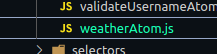
That's done, you dont have anymore the weather widget to you chat app.